Introduction: Why Learner Dashboards Matter
A learner logs in and stares at a wall of course tiles. What's finished? What's overdue? What should happen next? If the answer takes more than a few seconds to find, many people simply leave.
A learner dashboard is the personalized home screen of a learning experience. It turns training data into a clear view of progress, priorities, and next steps.
This guide covers the benefits, essential components, design principles, accessibility and privacy considerations, and how to evaluate a platform.
Key Takeaways
- A good dashboard shows progress, priorities, and the next action at a glance.
- Design for specific audiences and program goals, not every available metric.
- Progress indicators, course access, credentials, announcements, and recommendations are the common building blocks.
- Accessibility, privacy, mobile use, and restrained gamification are requirements, not extras.
What Is a Learner Dashboard?
What a learner dashboard shows
A learner dashboard is the learner-facing view of assigned, active, completed, and recommended learning. It also surfaces milestones such as assessments, certificates, continuing education credits, and compliance requirements.
Learner-facing dashboards present key information on one page so users can track goals, progress, and deadlines. Moodle, for example, documents its Dashboard as a customizable page showing progress details and upcoming deadlines.
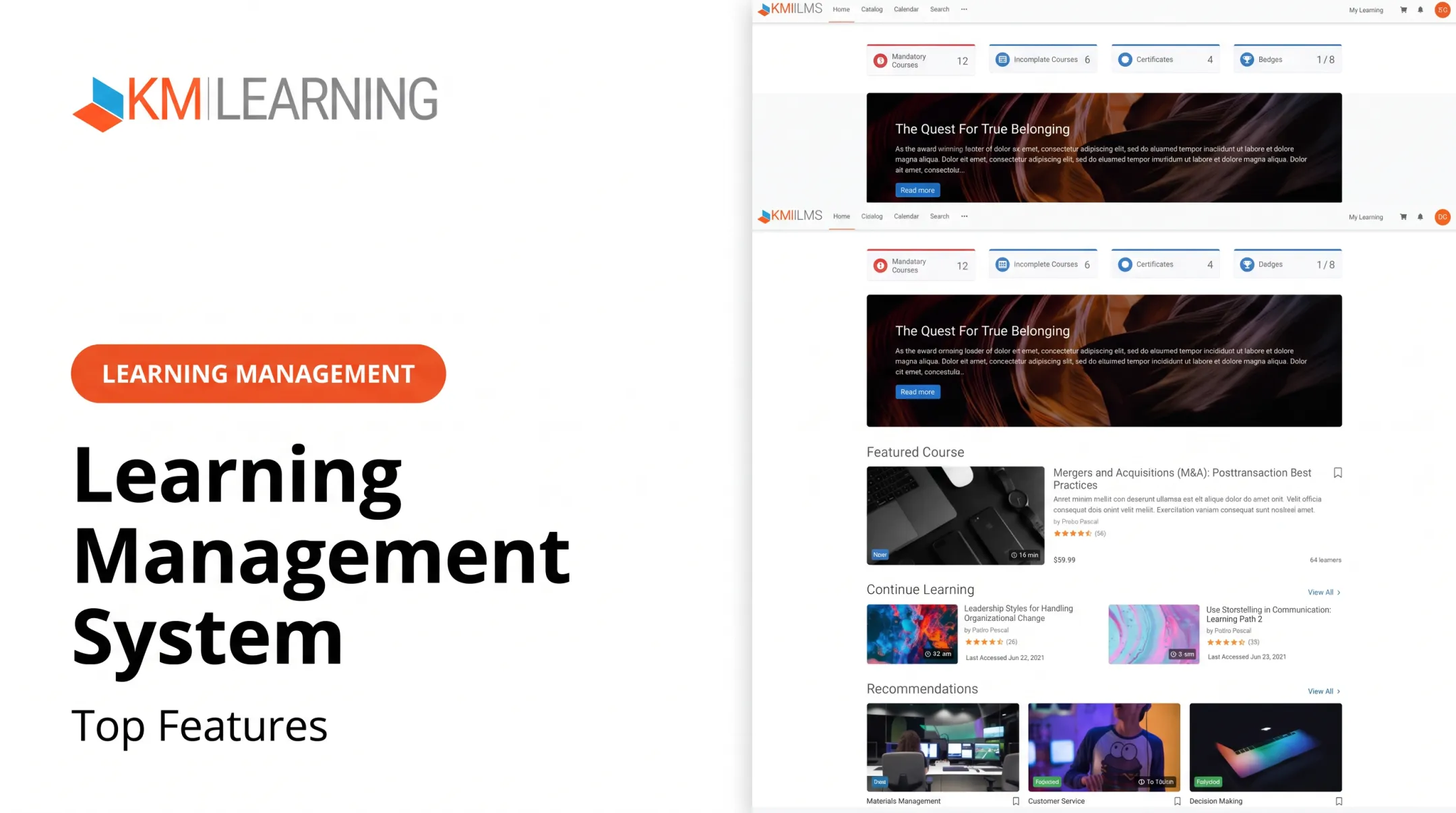
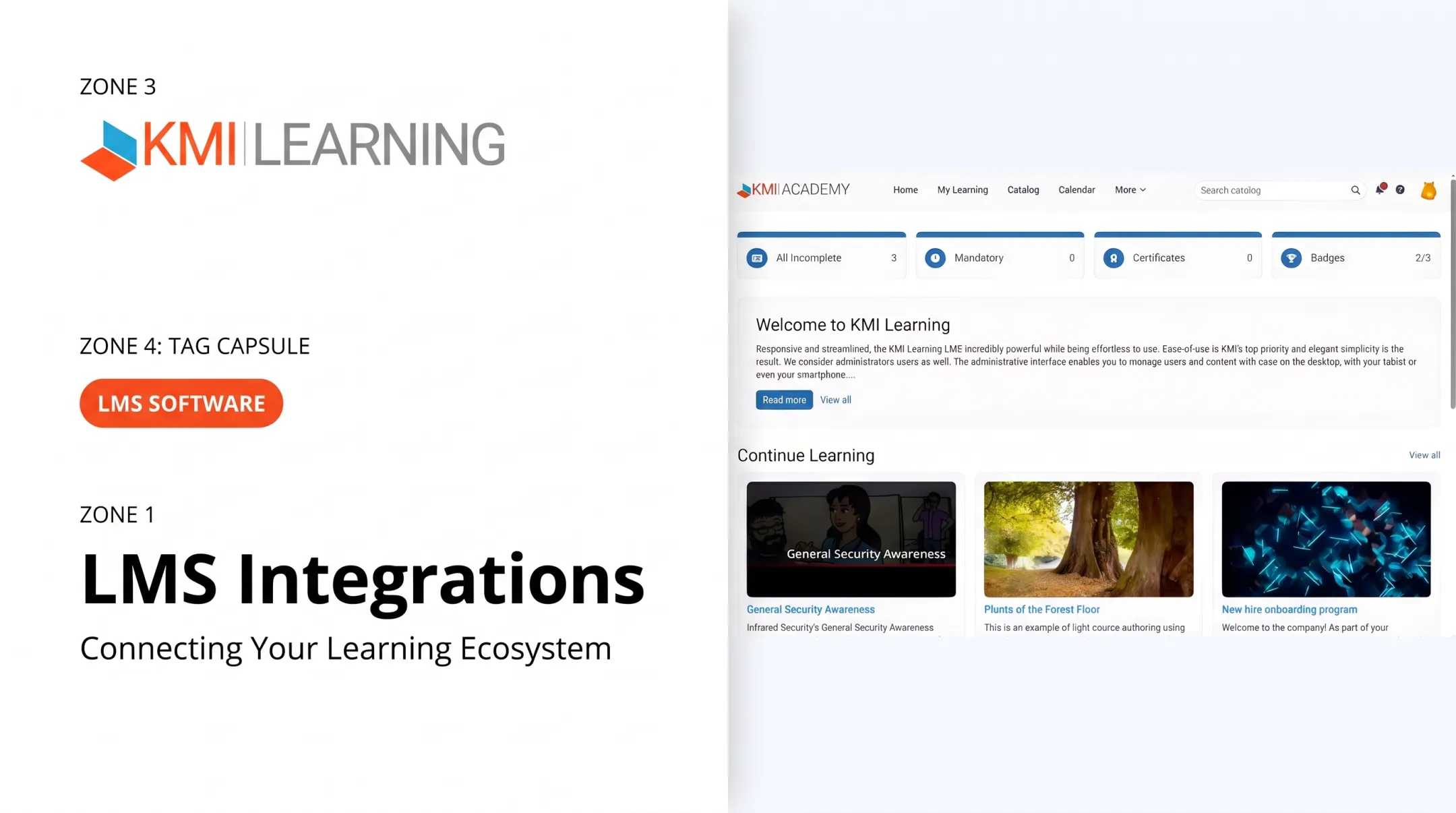
In KMI Learning's LMS, a sample learner dashboard displays status cards for mandatory courses, incomplete courses, certificates, and badges, alongside continuing-learning items and recommendations.
Learner dashboards versus administrator dashboards
- Learner dashboard: one person's own journey, including courses, progress, credentials, and deadlines.
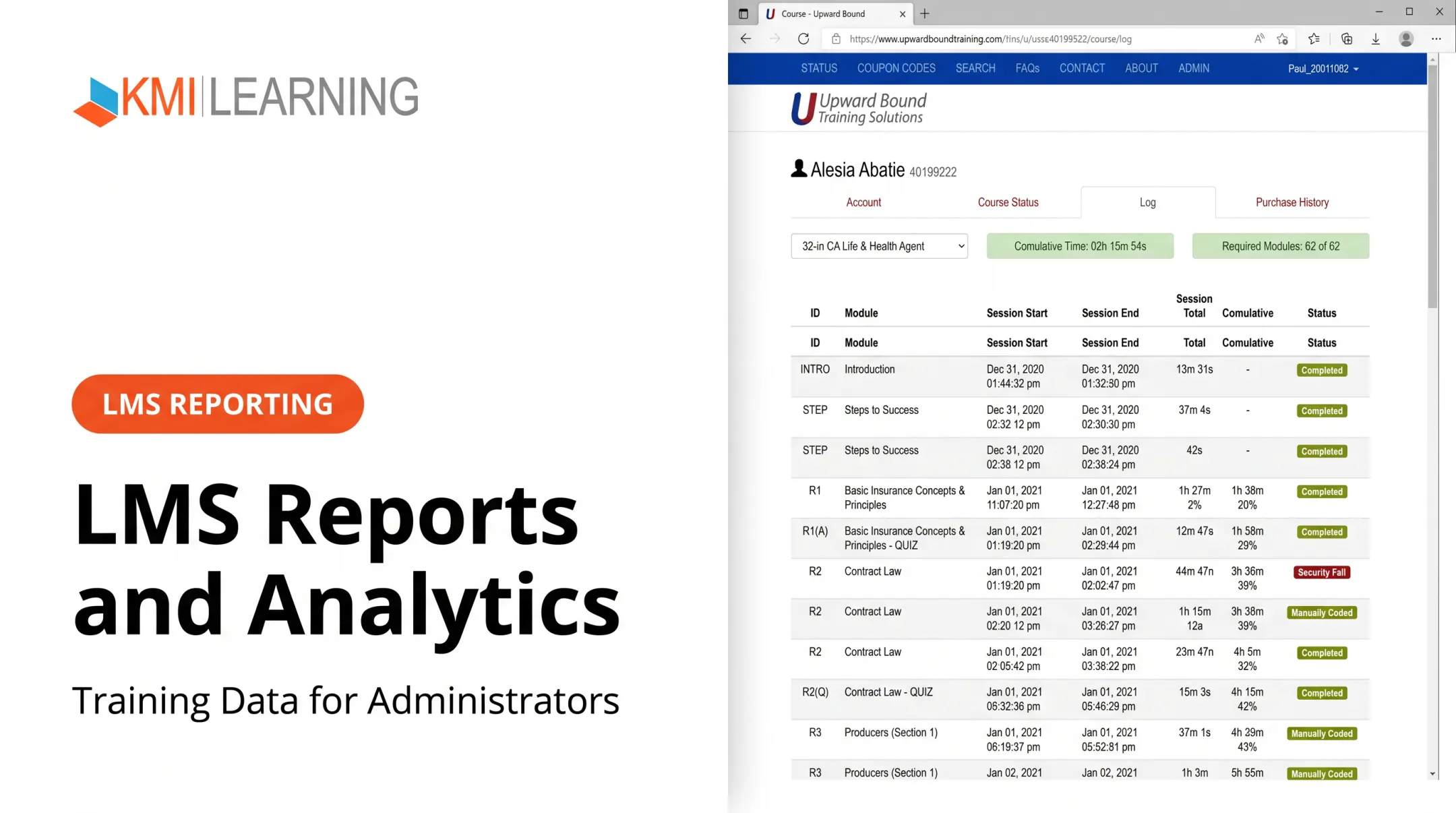
- Administrator dashboard: aggregated activity across users, courses, groups, and programs, built for management and reporting.
Where learner dashboards are used
- Employee training: mandatory courses and deadlines.
- Associations: member education, conference sessions, and CE credits.
- Continuing education providers: credit types, limits, and renewal dates.
- Nonprofits: staff, volunteer, and certification programs.
- Government and enterprise: compliance status and required training.
The same layout rarely works for all of them. An association member wants credits earned; a federal employee wants to know what's overdue.
Why Learner Dashboards Improve the Learning Experience
Create visibility and learner ownership
Showing completed work, current progress, remaining requirements, and the next action gives learners a sense of control. The evidence is real but modest. A 2026 meta-analysis found a student-facing pooled effect of Hedges' g = 0.287 across 16 studies, though heterogeneity was high.
Another review of 38 studies found participation results more promising than achievement results. Treat a dashboard as a support for engagement, not a guaranteed completion boost.
Reduce friction and encourage return visits
Quick links to in-progress courses, unfinished assessments, upcoming deadlines, and saved learning cut the effort needed to resume training. Fewer clicks between login and learning means fewer abandoned sessions.
Reinforce motivation without overwhelming learners
Milestones, certificates, and progress indicators reinforce momentum when they reflect real achievement. Decorative badges don't. In a study of 190 participants in online physics classes, Balci and colleagues found badges and leaderboards had no effect on academic performance, even though most students viewed them positively.
Keep feedback tied to meaningful milestones, such as a passed assessment or an earned credential.
Use rankings and comparisons carefully
Leaderboards can energize some groups. A higher education review flags public display of low performers as a threat to motivation. Safer options:
- Private progress views
- Opt-in competition
- Achievement-based recognition instead of rank
KMI Learning's platform offers a points-based leaderboard within a group, which is the kind of feature worth configuring deliberately rather than switching on by default.
Connect learner activity to program improvement
Aggregated data helps learning teams spot stalled courses, inactive users, and confusing steps. Use it to support learners and fix content. Don't use it for surveillance. Be transparent about what's collected and who sees it.

What Should a Learner Dashboard Include?
Progress and status at a glance
- Clearly labeled completion status
- Progress bars or equivalent indicators
- Current enrollments and completed courses
- Assessment results
- Outstanding requirements
Use plain language and skip metrics learners can't act on. One caution: a progress percentage isn't always completion. Moodle's documentation notes that its My courses percentage only counts completed activities with tracking configured, not full course completion.
Immediate next steps
Put prominent actions up front: resume course, complete assessment, view feedback, submit evidence, or meet an upcoming deadline. Base recommendations on assignments, goals, role, or previous activity.
Credentials and learning records
Certificates, badges, CE credits, renewal dates, and compliance status should be easy to find and download. Record retention can matter too. IACET says accredited providers must keep training records and make them available to learners for at least seven years. The rule is about record access, not layout, but it is still a reason to test how learners retrieve old transcripts.
Retention rules vary by program. OSHA's bloodborne pathogens standard, for instance, requires training records for three years, which is specific to that rule.

Course discovery and relevant recommendations
Catalogs, featured content, and recommended courses support continued learning. Keep them below required training and urgent tasks so promotion never buries a deadline.
Communication, support, and personal controls
Each item should earn its place by serving a clear learner need:
- Announcements and calendar items for deadlines and events
- Notifications the learner can control
- Help links for stuck moments
- Profile, language, and display preferences
- Accessibility controls
How to Design a Learner Dashboard That Learners Use
Start with audience goals and learner workflows
Identify each audience's needs before choosing widgets:
- Employees need mandatory training status and deadlines
- Association members need CE credit progress
- External learners need certification milestones
Establish a clear information hierarchy
Put the most important status and next action first. Group related items, limit competing calls to action, and keep labels consistent. Nielsen Norman Group describes visual hierarchy as organizing elements by importance through scale, contrast, and grouping. Test that users actually read the layout the way you intended.
Personalize without creating confusion
Role, organization, enrollment, program, or learning history can decide which courses, announcements, and recommendations appear. NN/g separates personalization (system-driven) from customization (user-driven). Let the system handle the essentials, and offer limited customization for the rest. Too many options become clutter.
Design for accessibility, mobile use, privacy, and trust
Accessibility. Specify the standard version, since baselines differ:
- WCAG 2.2 adds criteria such as Focus Not Obscured, Target Size, and Accessible Authentication.
- Section 508 references WCAG 2.0 A/AA.
- The DOJ's Title II rule for state and local governments uses WCAG 2.1 AA, with compliance dates extended to April 26, 2027 or April 26, 2028 depending on entity size.
Check keyboard navigation, contrast, screen-reader compatibility, and responsive layouts.
Mobile. A UCF survey reported by EDUCAUSE found 81% of 1,131 students used smartphones for learning at least weekly. That's higher education, not workforce data, but mobile use is plainly common.

Privacy. Applicability varies. FERPA covers student records at funded schools. The CCPA generally excludes nonprofits and government agencies. The NIST Privacy Framework is voluntary guidance. Confirm with counsel which rules apply to your program.
Test, measure, and improve the experience
Run usability tests with representative learners doing realistic tasks. Then track actionable measures:
- Course resumption
- Completion of assigned activities
- Use of recommendations
- Support requests
- Learner-reported clarity
Revisit the dashboard when program goals change.
How to Evaluate and Implement a Learner Dashboard
Assess the platform's underlying capabilities
Use this checklist during demos:
- Configurable layouts
- Role- or audience-based views
- Progress and credential tracking
- Reporting and data export
- Integrations, including SSO
- Mobile responsiveness
- Accessibility documentation, such as a current VPAT
- Security and scalability
Ask vendors for accessibility limitations and remediation plans, and test with assistive technology using real learner scenarios. For government work, ask about FedRAMP or TX-RAMP status for the specific product, since a program's existence doesn't prove any LMS qualifies.
Plan implementation around data and governance
Before launch, define:
- Data sources and the system of record
- Ownership and permissions
- Enrollment rules and reporting definitions
- Notification policies
- Success criteria
Then pilot with a representative group and document their feedback.
Consider a configurable LMS partner
Organizations with branded workflows, flexible integrations, and custom reporting needs should look at configurable platforms. KMI Learning, based in Columbus, Ohio, offers a white-label LMS for conferences, continuing education, and secure compliance programs. Its learner dashboard includes status cards, continuing-learning items, and recommendations. Confirm any specific dashboard capability against your own requirements during evaluation.
Frequently Asked Questions
What is a learner dashboard?
It's the learner-facing home screen that summarizes progress, assigned or available courses, achievements, announcements, and next steps.
How does a learner dashboard improve engagement?
Clear progress, easy course resumption, relevant recommendations, and timely reminders make learning easier to continue. Results depend on design quality and relevance.
What should a learner dashboard include?
Progress status, next actions, course access, credentials, announcements, recommendations, support links, and controls suited to the audience.
What is the difference between a learner dashboard and an admin dashboard?
A learner dashboard shows one person's courses and progress. An admin dashboard shows organization-wide enrollments, activity, outcomes, and reporting.
Can learner dashboards be customized for different audiences?
Yes. Role, organization, program, enrollment, or learner type can determine what each audience sees, so content and requirements stay relevant.
What metrics should a learner dashboard track?
Completion status, assessment results, credential or CE progress, deadlines, and next steps. Skip data that doesn't help learners make decisions.